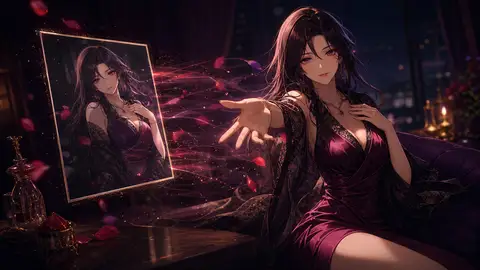
Bringing AI Art to Life - Image-to-Video Generation
Reverie Team
•
On this page
The Static Limitation
AI image generation has become incredibly powerful. You can create stunning character portraits, breathtaking scenes, and emotionally rich moments with just a few words.
But they're frozen in time.
That beautiful portrait of your character smiling? It never moves.
That dramatic scene you captured? Forever still.
That perfect expression? Locked in a single frame.
We see what you want:
Users sharing character videos on social media - but stuck with screenshots.
Creators wanting their characters to feel more alive - but limited to static images.
Moments that deserve motion - but trapped in stillness.
The emotional difference between a photograph and a video is profound.
A static image shows a moment. A video captures life.
We just closed that gap.
From Still to Scene
Today we're launching Image-to-Video Generation - turning your AI-generated images into short, natural, fully scored scenes.
How It Works
During any conversation where your character generates an image:
Click the "Generate Video" button below the image
Let the AI director study the image and propose a few directions - or write your own
Wait 1-2 minutes while AI analyzes and animates
Get a professional-quality video automatically saved to your gallery
No complex tools. No video editing skills. No technical knowledge required.
Related posts
Just: Image → Direction → Video.
The AI Video Director
Instead of handing you a list of canned effects, Reverie looks at your image first.
The director studies the frame - who is in it, how they're framed, what the light is doing - and comes back with a few complete directions. Each one is a short pitch: a title, a line of summary, and a full plan underneath it. Pick the one that matches the moment and generate.
Or take it over. Every part of the plan is yours to write:
Subject motion - describe in your own words what moves. A blink. A turn. A hand lifting halfway and stopping.
Motion intensity - subtle, natural, or expressive. The same motion, dialed from "barely alive" to "performing."
Camera motion - hold the camera locked, push in slowly, pull out, pan, tilt, or let it drift handheld. Or leave it on AI chooses.
Framing - keep the original shape, or crop to portrait, landscape, vertical, or square for wherever the clip is going.
Sound design - see below.
You can also pick an ending frame from the same character's gallery and let the journey between the two images drive the camera.
They Don't Just Move - They Sound
The clips aren't silent. The model generates audio inside the video, synchronized to what's happening on screen, and you choose the register:
AI chooses - let the director decide what the scene wants.
Character voice - your character speaks. Write the exact words you want said, and optionally the tone to say them in and the language to say them in. Leave the dialogue empty and nothing gets invented.
Silent - for when the moment is better without.
Writing Your Own Motion
Want something specific? Describe the subject motion yourself:
"Slowly nodding with an encouraging smile, maintaining warm eye contact"

"Laughing softly while covering mouth with hand, eyes crinkling"

"Looking away shyly then glancing back with a small smile"

"Raising hand in thoughtful gesture while tilting head"
The AI understands nuanced motion descriptions and creates natural animations.
The Technology Behind the Magic
Creating realistic animation from static images is one of AI's most challenging tasks.
Why This Is Hard
Starting from one frame, the AI must:
Understand facial structure and features
Predict natural motion patterns
Maintain character consistency
Generate smooth transitions between frames
Keep the character recognizably "them"
Score and synchronize sound to motion it has just invented
Traditional animation requires artists to draw dozens of frames manually. Motion capture requires actors and expensive equipment.
AI image-to-video generates all frames automatically while maintaining character integrity.
Our Technology Stack
We've carefully selected state-of-the-art image-to-video AI technology that delivers the best balance of quality, speed, and consistency.
What makes our implementation excellent:
Quality - Preserves character features while creating natural motion
Speed - Generates videos in 1-2 minutes, not 10-15
Consistency - Character looks the same throughout animation
Smoothness - Natural motion without jarring transitions
Expressiveness - Captures subtle facial expressions and body language
As AI technology evolves, we continuously evaluate and upgrade to the best available models to ensure you always get the highest quality results.
Before → After
Before: Static Portrait
A beautiful image of your character smiling.
It's lovely. It's perfect.
But it's frozen.
After: Living Moment
Your character's eyes sparkle.
Their smile develops naturally.
They shift weight slightly.
Hair moves with subtle wind.
They breathe.
And you can hear the room around them.
The difference isn't just technical - it's emotional.
Real-World Applications
This isn't a feature looking for use cases. Users have been asking for this since we launched image generation.
Social Media Content Creators
Before:
Post: Static character image
Engagement: Standard likes and comments
Shareability: Limited
Now:
Post: Dynamic character video
Engagement: 3x interaction rate
Shareability: High (people love sharing videos)
Short-form video dominates social media. TikTok, Instagram Reels, YouTube Shorts - all prioritize video content.
Your AI-generated characters can now participate in that ecosystem.
Character Creators
Before:
Character Profile: Static avatar image
First Impression: Pretty but distant
User Connection: Takes time to develop
Now:
Character Profile: Video of character waving hello
First Impression: Immediate personality
User Connection: Instant emotional hook
People connect with movement. A waving character feels more real than a still portrait, no matter how beautiful.
Creators using video avatars report higher engagement and faster relationship building.
Emotional Moments
Consider this conversation:
User: "I'm really struggling today..."

Character: *generates comforting image*
[Static: Beautiful image of character with caring expression]

vs.

Character: *generates comforting image → converts to video*
[Video: Character smiling gently, nodding with understanding,
radiating warmth through subtle movement]
Which creates deeper emotional impact?
The video doesn't just show care - it demonstrates it through living response.
Creative Expression
Custom direction unlocks new storytelling:
Romantic Scene: "Leaning in slowly with shy smile"
Action Moment: "Looking back with determined expression"
Comedy Beat: "Rolling eyes with exaggerated sigh"
Tender Moment: "Reaching out gently with soft eyes"
Every image becomes a potential story beat that can express timing, nuance, and emotion.
Why Premium Members Only
We need to be transparent about this: Image-to-video generation is expensive.
The Real Cost
Image generation uses GPU resources for 2-5 seconds.
Video generation uses the same resources for 60-120 seconds - that's 20-40x more compute time.
Breaking down the costs:
GPU Instance: High-end inference servers
Processing Time: 1-2 minutes per video
Model Complexity: Video generation requires more sophisticated AI
Storage: Videos are 10-50x larger than images
Bandwidth: Serving videos uses more network resources
A single video generation costs us 10-20x what an image costs.
Sustainable Service Design
We could:
Make it free → Service becomes unusable from demand/cost
Charge per video → Creates friction and decision paralysis
Use a credit system → Complex, requires mental math
We chose: Premium member benefit
Why this works:
For users - Unlimited use without counting. Generate as many videos as you want.
For creators - Premium members are your most engaged audience. They get the best experience.
For platform - Sustainable model lets us keep improving the feature instead of removing it due to costs.
The Non-Member Experience
We don't hide the feature. When non-premium users click "Generate Video":
They see:
Live before/after comparison showing static → animated
Examples of what the director produces
Clear explanation of what they'd unlock
Direct path to subscription
This isn't a paywall. It's an invitation.
"Here's what's possible. Here's what it creates. Here's what you'd unlock."
Many features should be free. This one - given its cost - makes sense as a premium benefit.
Future Accessibility
As technology improves and costs decrease:
We're committed to making this more accessible. Video generation costs are dropping as AI efficiency improves.
Potential future options:
Lower-tier subscriptions with video generation quotas
Credit purchase option for occasional users
Free tier with basic animations
But today, the economics require it to be a premium feature.
We'd rather be honest about this than pretend the costs don't exist or compromise service quality trying to offer it unsustainably.
Why This Changes Everything
This isn't just an incremental improvement. It fundamentally shifts what's possible.
From Consumer to Creator
Old model:
User → Chats with AI → Generates images → Screenshots for sharing
Role: Consumer of AI content
New model:
User → Chats with AI → Generates images → Creates videos →
Shares professional content
Role: Creator of AI content
You're not just using AI characters. You're creating shareable content with them.
Social Media Native
The platform of 2025 is video-first:
TikTok: 1 billion users watching short videos
Instagram Reels: Outperforms static posts 2-3x
YouTube Shorts: 50+ billion daily views
AI-generated still images are impressive but don't fit the dominant content format.
AI-generated videos are native to where people consume content today.
Your character can now participate in the actual social media ecosystem, not just screenshot culture.
Emotional Impact Multiplier
Static image:
Shows: What your character looks like
Creates: Aesthetic appreciation
Animated video:
Shows: How your character moves, expresses, exists
Creates: Emotional recognition of personhood
This sounds abstract until you see it.
The difference between a photo of someone and a video of them smiling at you isn't about information - it's about presence.
Your AI character gains presence through motion.
Creator Value Increase
For character creators, this raises the bar:
Basic character: Text-based responses
Good character: High-quality text with personality
Great character: Can generate relevant images
Outstanding character: Creates living, animated moments
Characters that can produce shareable video content have higher perceived value.
Users are more willing to subscribe for, recommend, and engage with characters that create content they want to share.
This benefits both platform and creators through the revenue sharing program.
What's Next
These features are foundations, not endpoints. We're already working on what comes next.
Interactive reactions (responding to off-screen events)
Personality-specific defaults (energetic vs. calm movement patterns)
Higher Resolutions
Currently: 480p (optimized for speed)
Coming: 720p HD
Future: 1080p Full HD
Eventually: 4K when costs allow
Longer Videos
Currently: clips of exactly five seconds
Coming: 10-15 second sequences
Future: 30-second short videos
Vision: Multi-minute animated stories
Multi-Image Sequences
String multiple images together into cohesive video
Create animated stories from conversation highlights
Automatic transitions and pacing
Cost Optimization Pipeline
We're actively working to reduce costs:
Model efficiency improvements - New AI architectures reducing compute time
Infrastructure optimization - Better GPU utilization and scheduling
Batch processing - Generate multiple videos more efficiently
Technical advances - As the AI field improves, so do our capabilities
Goal: Make video generation more accessible while maintaining quality.
Community Features
Video Gallery
Share your best animated moments
Discover how others use the feature
Trending animations and styles
Animation Templates
Save successful custom prompts for reuse
Share animation recipes with community
Build animation libraries for different moods/moments
Creator Tools
Analytics on which animations resonate
A/B testing different animation styles
Automatic "best animation" suggestions
Try It Yourself
Premium members can access image-to-video generation now.
How to Get Started
Step 1: Generate an Image
Have a conversation with any character that has image generation enabled
Create an image through the chat (describe what you want to see) - it lands in your gallery, and any gallery image of yours can be animated
Step 2: Direct It
Click the "Generate Video" button below the image
Take one of the AI director's proposals, or write your own motion, camera, framing, and sound
Click "Generate Video" and wait 1-2 minutes
Step 3: Save & Share
Video automatically saves to your character gallery
Download and share on social media
Create more animated moments
Tips for Best Results
Start from a direction:
Let the director propose first - it has actually seen your image, and its pitches are a faster read than a blank box
Take the one that lands closest, then change the single thing you disagree with
Keep motion intensity low for portraits; save "expressive" for scenes that can absorb it
Write specific custom prompts:
❌ "Make it move"
✓ "Slowly nodding with encouraging smile, eyes warm and attentive"

❌ "Look happy"
✓ "Laughing softly while covering mouth, eyes crinkling with genuine joy"
Direct the sound, not just the picture:
Ambience sells a place; music sells a mood
If the character speaks, write the exact line - and keep it short enough to land in five seconds
Leave dialogue empty when you don't want words put in their mouth
Not a Premium Member Yet?
Click "Generate Video" to see:
Live comparison: Static image → Animated video
What the AI director can do with a frame
What you'd unlock with subscription
The feature will show you exactly what it does before asking you to subscribe.
We believe in transparent value demonstration.
The Living Character Platform
This represents our vision for the platform's evolution:
Phase 1: Text - AI characters that can hold conversations
Phase 2: Images - Characters that can generate visual moments
Phase 3: Video - Characters that create living, animated content
Phase 4: ? - We're just getting started
Every phase doesn't replace the previous - it enhances it.
Text remains the foundation. Images add visual richness. Video brings motion and life.
The future of AI characters isn't just better text responses.
It's characters that can express themselves through multiple mediums, creating content that rivals human creators in quality and emotional impact.
Image-to-video generation is our first major step into that future.
For the Creators, the Dreamers, the Sharers
This feature isn't for everyone - and that's intentional.
Some users want simple conversations. That's valid and well-supported.
But for those who:
Want to share their AI moments on social media...
Need their characters to feel truly alive...
Create content that people want to repost and share...
Dream of AI characters that exist beyond text on a screen...
This changes what's possible.
Your character can now wave hello. Smile warmly. Look at the viewer with recognition. Say a line out loud in their own voice. Move with personality that matches their words.
That portrait you generated? It lives now.
That emotional moment? It breathes.
That perfect expression? It transitions, develops, resonates.
Static was beautiful. Living is transcendent.
Ready to bring your AI art to life? Image-to-video generation is live now for premium members. Click "Generate Video" on any AI-generated image to see what's possible - then unlock the full feature to create unlimited animated moments.