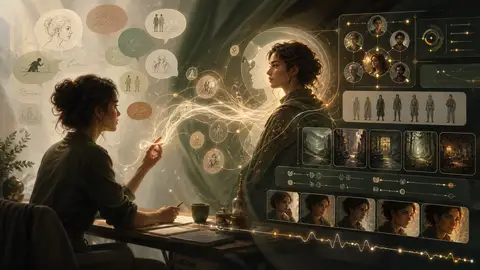

There is a strange mismatch in most AI creation tools.
The product is powered by a model that can understand intent, ask questions, compare alternatives, and revise its own work. Yet the person using it is still expected to think like a database administrator: open a form, understand every field, translate an idea into the system's vocabulary, and keep track of which edit changed the result.
Forms are useful. A serious character needs structure. But structure should support the creative process, not become the creative process.
That is the idea behind the new AI Workbench in Reverie's character editor. Instead of asking AI to generate a large block of text and leaving you to clean it up, the editor now supports a continuous loop:
Describe what you want. Review what the AI proposes. Apply the changes you agree with. Test the character. Refine it again.
It feels more like working with a creative partner and less like operating a configuration screen.
The Old Workflow Had a Missing Middle
AI-assisted character creation usually jumps between two extremes.
At one end is the blank form. You are asked for a name, a short introduction, a detailed description, personality, appearance, opening messages, example conversations, scenarios, behavioral instructions, and more. If you already know exactly how every field affects the model, that precision is valuable. If you do not, the page can feel like an exam.
At the other end is one-click generation. You provide a short idea, AI fills everything, and the result looks complete. But "complete" is not the same as coherent. A playful personality may conflict with a formal opening. The description may establish one relationship while the examples imply another. A small but important boundary may never make it into the behavioral instructions.
The missing middle is where good characters are actually made: comparison, correction, testing, and iteration.
We wanted to make that middle part of the editor itself.
A Workbench, Not a Magic Button
Open the AI Workbench from the character creation or editing page and you can talk about the character in ordinary language:
Make her warmer, but not instantly trusting. She should deflect sincere compliments with humor.
Add a recurring scene in the greenhouse after closing time, and make the opening less expository.
Check whether her backstory, behavior, examples, and scenarios still describe the same person.
The response streams into the conversation as it is generated, so you can follow the direction without waiting for a finished wall of text. More importantly, the AI does not silently overwrite your draft.
When a request should change the character, the Workbench turns it into reviewable proposals. Each proposal uses a human label—such as Introduction, Personality, or Opening—instead of exposing internal field names. You can compare the current and suggested versions, apply one change, apply all of them, or leave them untouched.
That distinction matters. A creator should never have to wonder what the AI changed behind the scenes.
Our rule is simple:
AI proposes. You decide.
Applied a change and changed your mind? Undo it. Applied only the new opening but kept the original personality? That is fine too. The conversation can move quickly without taking control away from the person who knows the character best.
When you apply a single suggestion, the Workbench takes you back to the relevant part of the editor, scrolls the field into view, and briefly highlights it. The transition makes the relationship between the conversation and the structured character visible: the AI may speak naturally, but the result remains precise and editable.
Create, Test, and Improve Without Leaving the Draft
The Workbench is organized around three parts of the same creative loop.
Create
Create is where you brainstorm and revise. You can begin with a vague direction, request a specific rewrite, add a missing relationship, or ask for a consistency pass across the whole character.
If the suggestion is useful, apply it. If it is close, edit your message or try again. Your requests remain part of the conversation, so refinement does not require repeatedly reconstructing the original context.
This is especially helpful when a character is already mostly complete. "Generate everything again" is usually the wrong tool when only the voice feels flat. The Workbench can make a focused change without discarding the parts that already work.
Test
A character sheet can look excellent and still produce the wrong conversation.
Test lets you speak with the character using the current draft, including changes you have not published yet. On the first turn, the goal is simply to see how the character responds. Once you send a message and receive a reply, the Workbench can evaluate what actually happened: Did the voice match? Did the character ignore a boundary? Was the answer too generic? Did the selected scenario meaningfully affect the exchange?
That feedback is grounded in a real interaction, not a guess made from an untouched form. If you want to fix something, you can send the relevant conversation back into Create and ask for a targeted revision.
Test also uses the same interaction patterns as the main chat experience—streaming replies, reliable auto-scroll, retry, and message editing—so creators do not have to learn a second, less capable version of chat just to debug their work.
Quality
Quality looks across the character as a whole.
It is not a score for whether your idea is "good." Creative taste cannot be reduced to a progress ring. Instead, the check looks for practical problems that often weaken a character in use: incomplete identity, an indistinct voice, a weak opening, missing long-term behavior, or contradictions between the profile, examples, and scenarios.
The result is a short explanation and, when appropriate, a set of concrete proposals you can review just like changes created in the conversation.
This turns quality review from a verdict into another editing tool.
Structured Data Can Stay Behind the Conversation
One lesson became clear while building this: users should not need to know the name of every system field to create a rich character.
The platform still needs structured data. Introductions, descriptions, example conversations, system guidance, scenarios, and openings have different jobs at runtime. Removing that structure would make characters less predictable, not more accessible.
But there is no reason the structure must dominate the interface.
The Workbench translates between two ways of thinking:
- You think in intentions, moments, relationships, and voice.
- Reverie turns those ideas into the structured pieces the character needs.
- You review the result in language that makes sense to a creator.
- The form remains available whenever you want exact control.
This is not the end of forms. It is a better relationship with them. Conversation handles intent; the editor preserves precision.
Start in the Mode That Matches Your Idea
Not every character begins the same way, so Reverie now supports several paths into the same underlying character system.
If you already have a clear concept, start in the main character editor and use the AI Workbench alongside the form. If you would rather discover the character through questions and answers, the conversational builder in Labs remains the most natural starting point. If appearance and presentation come first, the visual builder can guide you through the basics, then let you create immediately or continue into the full editor for deeper work.
These paths are not separate islands. They are different entrances to the same process. The character's basic information should follow you forward, and the main editor is always there when you want to inspect, test, or refine the result.
AI Assistance Should Be Predictable, Too
Creative flow is easier when cost is not a surprise.
The Workbench uses Reverie's shared AI creation allowance. Eligible subscribers can see their included usage directly below the composer; when that allowance is exhausted, the interface makes the credit cost clear before the next request. Other users see the applicable credit usage in the same place.
The goal is not to interrupt creation with account details. It is to put the information where the action happens, in a consistent format, so you can decide how to continue without leaving the editor.
What We Think AI-Native Creation Looks Like
An AI-native interface is not simply a chat box placed on top of an old product.
It should understand the work already on the page. It should turn natural-language requests into precise, inspectable actions. It should preserve context across iteration. It should reveal consequences, make mistakes reversible, and move easily between creation and evaluation.
Most importantly, it should make the user's judgment more powerful—not replace it.
That is the direction of the AI Workbench. Today, it connects conversation, structured editing, live testing, and quality review inside character creation. Over time, we want the boundary between "telling Reverie what you want" and "editing the result" to become even thinner.
Because in the AI era, creating a character should not feel like completing paperwork for a machine. It should feel like having an idea, talking it through, and watching it become something you are proud to share.
Try the New Workflow
Open the character creation page, add whatever you already know, and launch the AI Workbench.
Ask for a stronger voice. Test an awkward situation. Check the character for contradictions. Apply one suggestion and reject another. Keep refining until the character does not merely look complete on the page, but feels consistent in conversation.
That last part is the real goal. A richer form is useful. A richer character is better.
The AI Workbench is available from Reverie's character creation and editing experience.