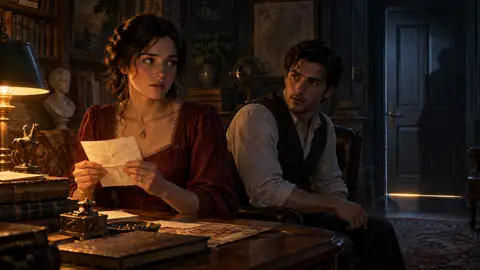

You're playing through a mystery. A character has been dodging questions about a missing letter for several replies, and you have an idea: she should almost confess, then notice someone listening at the door.
You know the turn you want the scene to take. You'd still like to see how she says it.
Guide reply gives you a place to write that direction. Alongside it, new group chat controls let you choose who responds and change the cast as a conversation develops. Here's how those controls can work together in one scene.
Give a character something to work with
Suppose you're chatting with two characters, Mira and Theo. Open Guide reply beside the message box, select Mira, and write:
She starts to admit that she took the letter, then notices a shadow beneath the door. Let her try to finish the sentence without naming anyone.
Press Generate reply. Your current model writes the response, using your direction to shape Mira's next turn. The direction is kept as guidance attached to the reply, with an expandable label so you can see it again later. It doesn't become something your player character says aloud.
You can also enter the direction from the ordinary message box with a shortcut:
/as Mira: She almost admits she took the letter, then notices someone at the door.Use the name of a character who's actually in your chat. If the first response isn't quite right, regenerating carries your direction into the next attempt too.
A useful direction gives the character a situation and a little room to respond. "She wants to admit it but is afraid Theo will hear" offers a motive to work with. You can leave the wording and gestures for the model to discover.
Hand a moment to the narrator
Sometimes the next beat belongs to the room. Choose Narrator in the same picker, or type:
/as narrator: The lights go out. In the silence, someone tries the door handle.That turn asks for narration of the setting and events. It's useful for a change in the weather, a jump to the next morning, or an interruption that gives everyone something new to react to.
Afterward, switch back to Myself and write your own response. The next ordinary turn returns to the character's usual voice. You can step in for a single beat and then see what the characters do with it.
Decide who gets the next line
Now you want Theo's reaction. Back in the ordinary composer, type @ and select him from the group roster before asking what he heard.
You can mention more than one character when you want them to carry the exchange together. The result is still one group reply. A mention gives the model a strong instruction about who should participate, though it can occasionally let another character into the response.
Guiding a reply and choosing a speaker serve different moments. Select a speaker when you want to hear from them; use Guide reply when you already have a direction for their response. For a guided turn, the direction takes priority over a speaker selection.
Let someone arrive halfway through
Perhaps the person outside the door is another character you'd like to bring into the group. In an ongoing group chat, use the Add a character slash command to request a cast change. A character can also propose one when the scene calls for it.
The proposal gives you an Edit members control and a What is happening field. Choose who's joining and give the entrance some context: "The courier from the station has followed the address on the envelope."
The cast changes when you confirm. The arrival is recorded in the conversation, giving subsequent replies an explanation for the new presence. Characters can leave through a proposal as well. The original host stays in the group, and the cast can have up to five characters in total.
To try reply guidance, sign in and start a conversation first; it becomes available after the chat has begun. If you're setting up a group, add the initial cast while the conversation is still empty. Cast-change proposals are available in ongoing group chats outside instant and voice mode.
You don't need a plan for the whole mystery. A half-finished confession, a hand on the door, or a moment given to someone who's been quiet can be enough to get the next scene moving.