Ensembles
Ready-made group chats with a cast, a setup and roles to choose from, and how to make your own.
An ensemble is a group chat someone has already set up: a cast of characters, the situation they are in, and the roles you can take when you join. The setup travels with every turn of the chat, so the cast still knows why they are together fifty messages later.
What an ensemble holds
| Part | What it is |
|---|---|
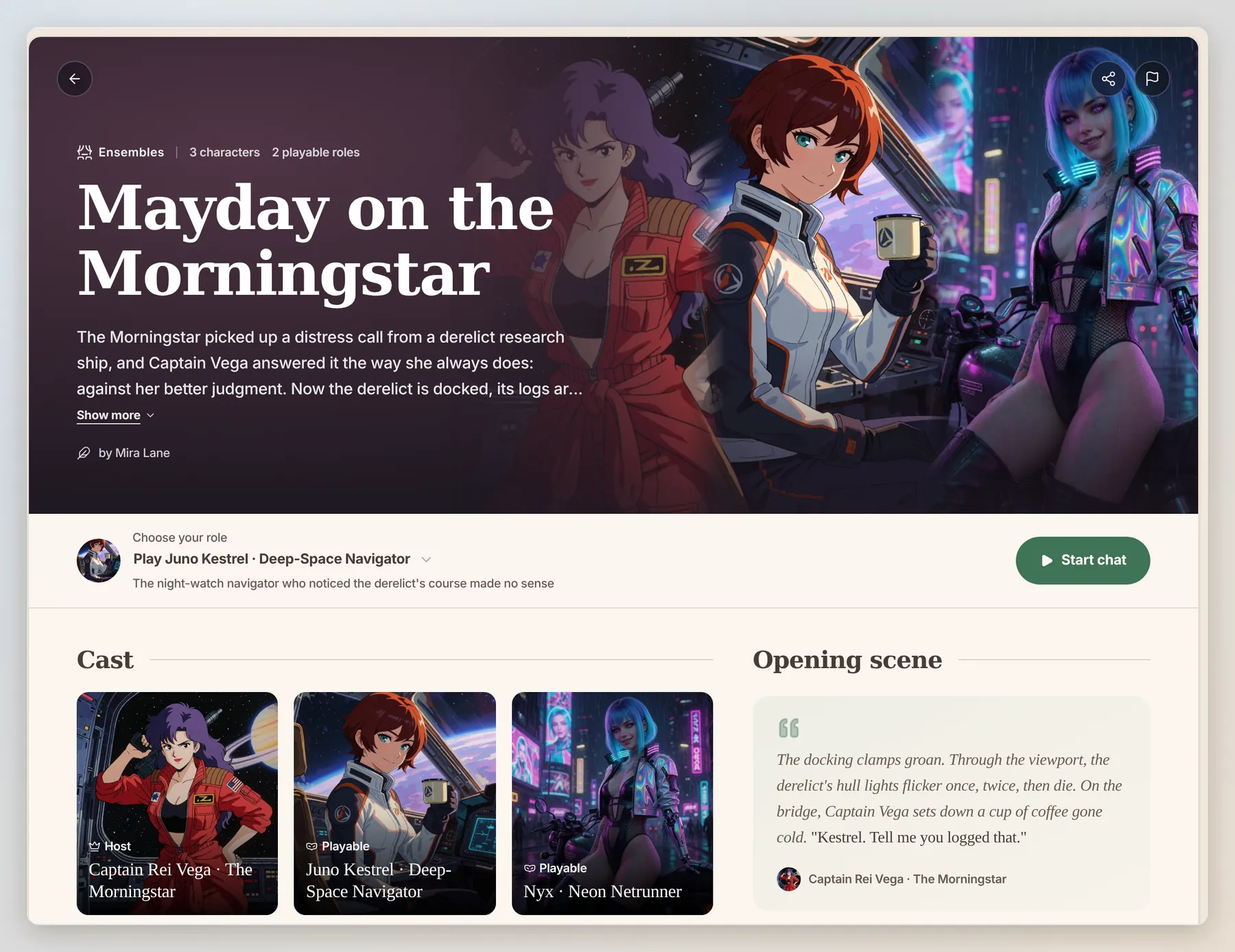
| Cast | Two to five characters. The first is the Host: the chat hangs off them, and the AI always voices them. Each member can carry a short note on their part in this story |
| Setup | Where they are, what just happened and what is at stake. Every chat started from the ensemble follows it |
| Story goal | Optional. Where the story should head: the cast steers toward it, but you decide how it ends |
| Opening | Optional. The first scene, shown as the first message of every new chat |
| Roles | Who you can be when you join — see below |
Choosing who you are
Open an ensemble and pick a seat under Choose your role, then Start chat. Depending on what its creator allowed, the seats are:
| Seat | What it means |
|---|---|
| Play yourself | "Join the story as you, with your persona." The cast meets you as the persona you pick |
| A preset persona, marked Preset | A ready-made character the creator wrote for players. Choosing it copies it into your personas, once per ensemble, and selects it for the chat |
| Play a cast member | Any member the creator marked Playable. The AI stops voicing that character and you write their part — see Playing one of the characters |
The host can never be played. A creator can turn off joining as yourself, but then at least one character must be playable, so there is always a seat for you.
The chat opens with the whole cast already present. The setup holds only for the cast and role it was written for: if you add or remove someone, or switch roles, before your first message, the chat becomes an ordinary group chat.
Playing a cast member turns memory off for that chat. Characters keep long-term memories about you, and a chat where you are someone else would fill them with the wrong person. Conversation summaries still keep the story going. See How memory works.
Finding one
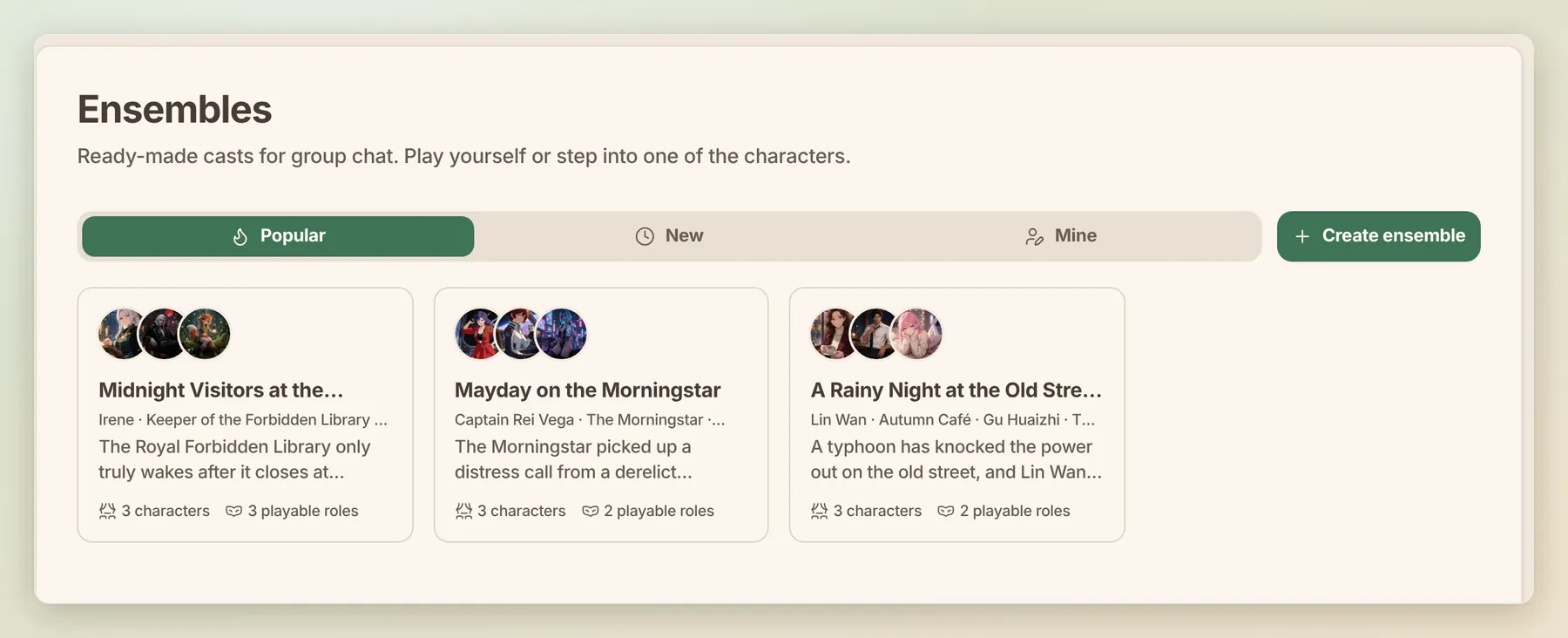
- Home has an Ensembles row; See all opens the full list, with Popular, New and Mine.
- Labs has an Ensembles tile that opens the same list. Labs
- In a new chat, the Group Chat button opens Select Group Characters, which lists the Ensembles that character hosts, with a Create ensemble shortcut.
- Every public ensemble also has its own public page, with its setup, goal, Opening scene and cast, that you can send to people who are not on Reverie yet.
An ensemble's page lists your chats from it under Continue your story — your five most recent, each with the role you played — so you can pick one up again or start over in another seat.
Making your own
Create ensemble opens the editor, with a preview of the card beside it. You need to be signed in.
| Field | Limit |
|---|---|
| Cast | 2 to 5 characters, your own or public ones. The first you pick hosts; Make host changes that. Tick Players can play this character on the ones a player may take over |
| Each member's role | Up to 300 characters, shown to everyone, players included |
| Title | Up to 80 characters |
| Setup | Up to 2,000 characters |
| Story goal | Up to 500 characters |
| Opening | Up to 2,000 characters |
| Preset persona | A Name (up to 60 characters), a Gender and a Description (up to 1,000 characters), offered when Players can join as themselves is on. Fill from my personas starts it from one of yours |
| Who can see it | Public (listed for everyone), Unlisted (anyone with the link) or Private (just you) |
Once you have picked at least two characters, Write it with AI drafts the title, setup, goal, opening and each character's role for your cast, from an idea of your own or none. It asks before replacing anything you have written, and everything stays editable. It is free for subscribers within their allowance of free AI uses, and costs credits otherwise.
A few rules keep shared ensembles playable:
- A public or unlisted ensemble can include only public characters and your own unlisted ones, since everyone who opens it must be able to chat with the whole cast. A private ensemble can use your private characters too.
- An ensemble with an 18+ character in it is 18+ as well, shown only to people who have 18+ content turned on.
- Editing an ensemble later does not change chats people have already started from it, and deleting it leaves those chats as they are.
- Public and unlisted ensembles are translated into every language Reverie supports. An ensemble removed after a report can't be made public again unless an appeal succeeds.
Related
- Group chats — how a group reply is built, and playing one of the characters
- Personas — who you are when you play yourself
- How memory works — why memory is off while you play a cast member
- Ensembles: a whole cast, and you choose who you are — the design notes, with example setups